Build an MCP Server for Your Team (Not for the World)
What an MCP server actually is
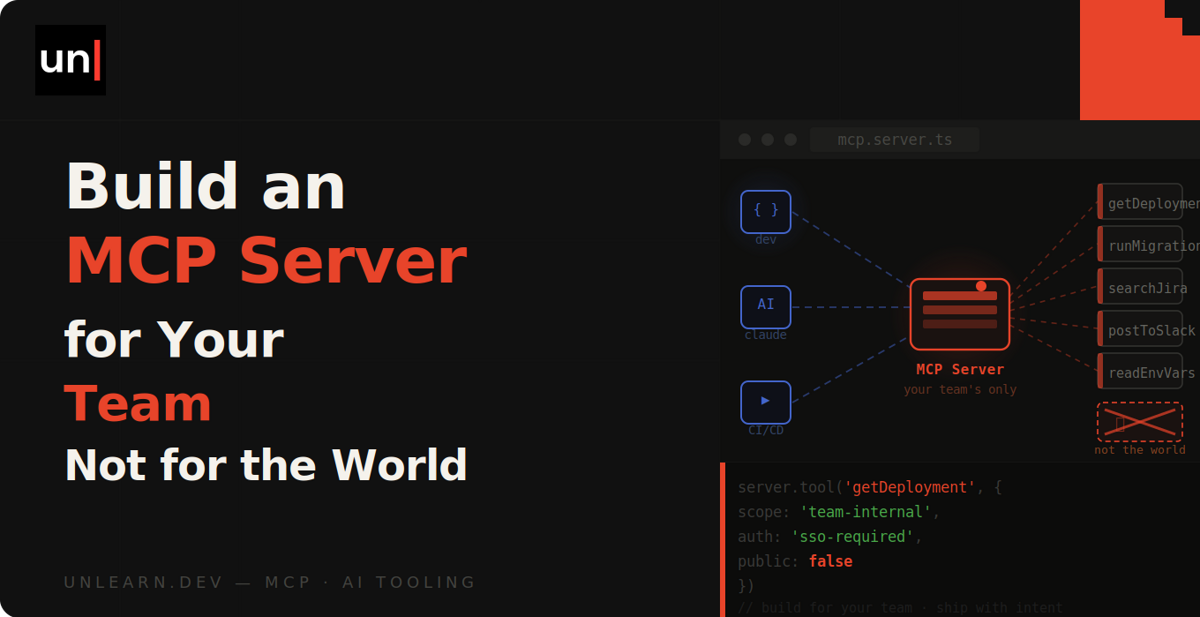
MCP (the Model Context Protocol) is a standard that lets an AI agent discover and call tools you define. An MCP server is just a small program that lists those tools and runs them when the agent asks.
When Claude Code (or Cursor, or any other MCP client) starts up, it asks your server what's available. Each tool has a name, a description and an input schema. That's genuinely all there is to it. Kinda like a CLI you'd write for your team, except the agent decides when to run it.
The problem it solves
Right now, when your agent needs to know something about a customer while you're debugging, you probably alt-tab to the admin panel, copy some JSON and paste it into the chat. Or the agent reads your codebase and guesses what your internal API returns.
That's absolutely fine as a one-off. But you'll end up doing it ten times a day, and everyone else on your team is doing the same copy and paste dance with the same internal systems.
There's a better way, though. Wrap those systems in an MCP server once, check the config into the repo, and every agent on the team can look things up directly instead of guessing.
Setting up the project
We'll use the official TypeScript SDK. Somewhere in your repo (I like a tools/mcp directory), install it along with Zod for the input schemas:
npm install @modelcontextprotocol/server zod
Then create a server.ts file with the boilerplate:
import { McpServer } from '@modelcontextprotocol/server';
import { StdioServerTransport } from '@modelcontextprotocol/server/stdio';

const server = new McpServer({ name: 'acme-internal', version: '1.0.0' });

async function main() {
  const transport = new StdioServerTransport();
  await server.connect(transport);
}

main();
Notice we're using the stdio transport. This means the agent starts your server as a child process and talks to it over stdin and stdout. There's no port to expose and nothing to deploy, and the server only runs while a session is using it.
Adding your first tool
A server with no tools isn't much use, so let's register one. Imagine we have an internal admin API that knows everything about our customers. Here's a tool that looks a customer up by email:
import * as z from 'zod/v4';

server.registerTool(
  'lookup-customer',
  {
    description:
      'Look up a customer by email. Returns their plan, subscription status and recent orders.',
    inputSchema: z.object({ email: z.email() })
  },
  async ({ email }) => {
    const response = await fetch(
      `https://admin.acme.dev/api/customers?email=${encodeURIComponent(email)}`,
      { headers: { Authorization: `Bearer ${process.env.ADMIN_API_TOKEN}` } }
    );

    return {
      content: [{ type: 'text', text: await response.text() }]
    };
  }
);
So what's happening behind the scenes? The description is the important part here. It's what the model reads when deciding whether a tool is useful, so write it like you're explaining the tool to a new team member.
When you ask your agent "why are orders failing for jane@example.com?", it spots the email in your question, matches it against lookup-customer and calls the tool. Whatever text you return lands straight in the conversation as context, and the agent carries on with real data instead of a guess.
The inputSchema gives the agent the exact shape of the arguments, and the SDK validates the input before your handler runs. If the model passes something that isn't an email address, your code never sees it.
From here, you can add more tools in exactly the same way. A search-docs tool over your internal wiki, a recent-errors tool that queries your logging platform, a feature-flags tool that checks what's enabled for a user. Whatever your team pastes into chat the most is a good candidate.
Hooking it up to Claude Code
This is the "for your team" part. Create a .mcp.json file at the root of your repo:
{
  "mcpServers": {
    "acme-internal": {
      "command": "npx",
      "args": ["tsx", "tools/mcp/server.ts"],
      "env": {
        "ADMIN_API_TOKEN": "${ADMIN_API_TOKEN}"
      }
    }
  }
}
Commit it, and that's the entire rollout. The next time anyone on your team runs claude in the project, they'll be asked once to approve the server, and from then on their agent has your tools too.
The ${ADMIN_API_TOKEN} syntax expands from each developer's own environment, so nobody's token ends up in git. And if you'd rather not write the JSON by hand, claude mcp add --scope project will generate the file for you.
Keep it read-only (at least to start)
An honest word on access. I'd recommend only wrapping read-only endpoints to begin with: lookups, searches, log queries. If a tool can write to production, at some point an agent will use it in a way you didn't expect, and it only takes once.
Point tools at staging where you can, use a token with the minimum permissions your endpoints need, and keep secrets in the environment rather than the config. None of this is really specific to MCP. It's the same care you'd take giving any new starter access to your systems.
That's genuinely it
You don't need OAuth, hosting or a listing in a directory. All of that matters if you're shipping a server to the world, but for the handful of people working on your codebase, a hundred lines of TypeScript checked into the repo is plenty.
Have a think about which internal system your team copies from the most, and wrap that one first. You'll wonder why you spent so long pasting.