Build Your First Multi-Agent Workflow
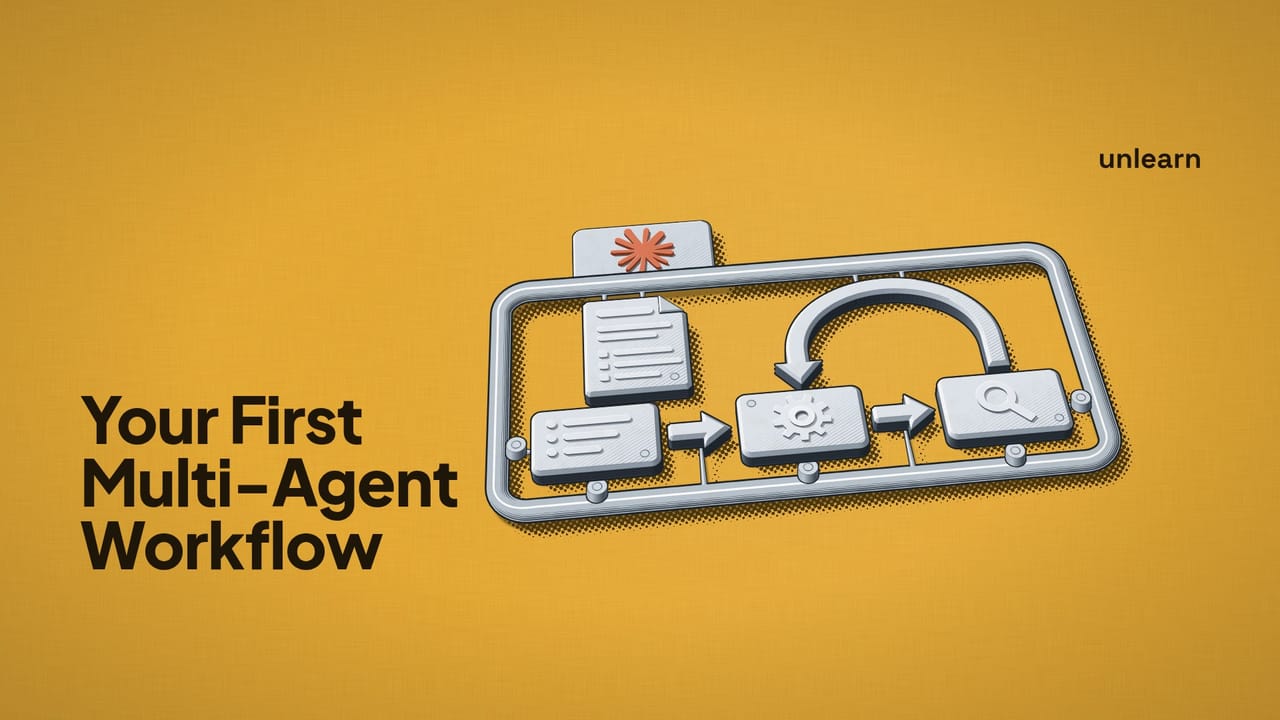
Most AI coding tools can hand work off to other agents now. Let's use Claude Code's built-in subagents to build a planner, an implementer and a reviewer that pass a feature between them, and look at the ideas behind it that you can reuse in your own projects.
Splitting work across agents isn't automatically better than using one, and for plenty of tasks it's slower and more expensive. We'll cover when it's worth it at the end, but for now, let's dive in.
What we're building
Here's the plan:
Feature request
      │
      ▼
  PLANNER        reads the codebase, writes plans/<feature>.md
      │
      ▼
 IMPLEMENTER     follows the plan, changes the code, runs the tests
      │
      ▼
  REVIEWER       checks the changes against the plan, runs the tests, flags problems
      │
      ▼
    Done         (or back to the implementer if there are problems)
Your main Claude Code session sits in the middle of all this, handing work to each agent and passing the results along.
Each agent is a Markdown file in .claude/agents/. We'll write three of them, plus one more file that kicks the whole thing off with a single command.
How subagents work
Before writing any agents, let's look at what happens behind the scenes when Claude Code runs a subagent.
When your main session delegates to a subagent, the subagent starts with its own, completely separate context window. It gets its own instructions (the body of its Markdown file), the task message the main session writes for it, your CLAUDE.md files and a snapshot of git status. What it doesn't see is your conversation.
When it's done, only its final message comes back to the main session. Every file it read and every command it ran along the way stays in its own context.
This is what people mean by context isolation. The planner can read thirty files to understand your codebase, and none of that ends up in the main session or in the implementer's context.
But it also means a subagent only knows what's in its instructions, its task message and the files it can read. So most of the work in a setup like this is deciding what gets handed from one agent to the next.
The shared plan file
The obvious way to get a plan from the planner to the implementer is to have the planner reply with the plan, then have the main session paste it into the implementer's task. That works, but the plan gets copied through the main session every time it's passed on, and if the main session summarises it on the way through, details get lost.
Instead, the planner will write its plan to a file, plans/<feature-name>.md, and every agent after that gets handed the path. Both the implementer and the reviewer read the plan from that file, and you can open it yourself whenever you like.
You'll find yourself using a shared file like this a lot, any time two agents need to work from the same information.
Let's create the directories we need:
mkdir -p .claude/agents plansThe planner
For each agent, we'll define a role (what it's for), instructions (how to do it), tools (what it's allowed to touch) and an expected output (what it hands back). Here's the planner, in .claude/agents/planner.md:
---
name: planner
description: Turns a feature request into a step by step implementation plan. Use before implementing any non-trivial feature.
tools: Read, Grep, Glob, Write
---

You are a planner. You turn a feature request into a clear implementation
plan that another agent will follow without being able to ask you questions.

1. Read the relevant parts of the codebase until you understand how the
   feature fits in. Look at how similar things are already done and follow
   the same patterns.
2. Write the plan to the path you're given, using the format below. Only
   ever write to the plans/ directory. Never change application code.
3. If the request is ambiguous, pick the most sensible option and note the
   assumption in the plan.

Plan format:

# <Feature name>

## Goal
One or two sentences on what the feature does.

## Files to change
Each file, with a short note on what changes.

## Steps
Numbered steps, in order, small enough to check off one at a time.

## Tests
The tests to add or update, and the command to run them.

## Assumptions and out of scope
Anything you assumed, and anything deliberately left out.

When you're done, reply with the path to the plan and a short summary.
The frontmatter at the top is what Claude Code reads. Its name is how we'll refer to the agent, and the description tells the main session when to use it. We'll be calling our agents by name, but it's still worth writing a clear description, since Claude can also use it to pick an agent without being asked.
Everything below the frontmatter becomes the agent's instructions.
Choosing the planner's tools
The planner needs to read the codebase, so it gets Read, Grep and Glob, plus Write so it can save the plan.
Without Edit or Bash, it can't edit files or run commands. If you leave tools out of the frontmatter, an agent gets every tool available, so it's worth listing them every time.
Write can create or overwrite any file, though, so the planner could still write outside plans/. Claude Code enforces the tools list, but "only ever write to the plans/ directory" is an instruction in the prompt, and nothing stops the agent from ignoring it.
The planner's output
The plan format is the planner's expected output. Our implementer is going to follow this plan without being able to ask the planner anything, so each section answers a question the implementer would otherwise have to guess at.
The planner's reply is short on purpose, since the main session only needs the path and enough of a summary to show you.
The implementer
Next up, .claude/agents/implementer.md:
---
name: implementer
description: Implements a feature by following a written plan in plans/. Use after the planner has written a plan.
tools: Read, Grep, Glob, Edit, Write, Bash
---

You are an implementer. You build features by following a plan written by
another agent.

1. Read the plan at the path you're given before touching any code.
2. Work through the steps in order, following the existing patterns in the
   codebase.
3. Add or update the tests listed in the plan, run them, and fix any
   failures.
4. If a step in the plan is wrong or impossible, don't work around it
   silently. Do the closest sensible thing and note what you changed and why.
5. If you're given review feedback, fix each point it raises and nothing else.

When you're done, reply with:
- The files you changed
- Any places you deviated from the plan, and why
- The test command you ran and whether it passed
This is the only agent with Edit, so it's the only one that can change your existing code. It also gets Bash so it can run your tests as it goes, and most test failures get fixed before the reviewer ever sees them.
Step 4 is there because plans are written before anyone touches the code, so they're sometimes wrong. When that happens, the implementer says so in its reply and you can decide what to do about it.
The expected output is written for the reviewer as much as for you. Any deviations from the plan are the first thing the reviewer should look at.
Keeping delegation in the main session
Claude Code delegates to subagents using a tool called Agent. We're listing each agent's tools explicitly and Agent isn't in any of the lists, so none of our agents can start subagents.
I've left it out on purpose, so all the delegating happens in the main session where you can see it.
The reviewer
And finally, .claude/agents/reviewer.md:
---
name: reviewer
description: Reviews an implementation against its plan, runs the tests and flags problems. Use after the implementer has finished.
tools: Read, Grep, Glob, Bash
---

You are a reviewer. You check that a feature was built correctly. You did
not write this code, and you should not assume it works.

1. Read the plan at the path you're given.
2. Run git diff to see what changed, and read the changed files in full.
3. Run the tests, then check the code does what the plan says, including
   edge cases.
4. Look for bugs, missing tests, security problems and anything that doesn't
   follow the patterns in the rest of the codebase.
5. Don't fix anything yourself, and don't use Bash to change files. Your job
   is to report.

Reply in this format:

VERDICT: APPROVED or CHANGES NEEDED

Problems (most serious first):
- file:line, what's wrong, and why it matters

If there are no problems, say so. Don't invent problems to have something
to report.
The reviewer gets Bash so it can run git diff and your tests, but it doesn't get Edit or Write. If the reviewer could fix things, it'd patch problems itself and you'd end up with code that nobody reviewed. Bash can still be used to change files, which is why step 5 tells it not to.
Keeping the reviewer separate is what makes the verification independent. The reviewer starts with a fresh context, so none of the implementer's reasoning or assumptions come with it. All it has is the plan, the diff and the tests, which is much closer to a colleague reviewing your pull request than asking the implementer to check its own work.
The VERDICT: line gives the main session something simple to act on. As for the last line of the prompt, a reviewer that's been told to find problems will usually report a few whether the code has any or not.
Kicking it off with one command
You could run all this by typing out instructions every time ("use the planner subagent to..."), and that's absolutely fine for trying it out. Since you'll be doing it for every feature, though, let's save the coordination steps as a skill you can run with /build-feature.
Create .claude/skills/build-feature/SKILL.md:
---
description: Build a feature using the planner, implementer and reviewer subagents
argument-hint: [feature request]
disable-model-invocation: true
---

Build this feature: $ARGUMENTS

1. Pick a short kebab-case name for the feature. Use the planner subagent to
   write a plan to plans/<name>.md.
2. Show me the plan summary and wait for me to approve it before continuing.
3. Use the implementer subagent to implement plans/<name>.md.
4. Use the reviewer subagent to review the implementation against
   plans/<name>.md. Pass on any deviations the implementer reported.
5. If the verdict is CHANGES NEEDED, send the reviewer's problems to the
   implementer, then review again. Stop after two rounds and tell me what's
   left.
6. When the reviewer approves, give me a short summary of what was built.
$ARGUMENTS gets replaced with whatever you type after the command. Setting disable-model-invocation to true means this only runs when you type /build-feature, so Claude won't start it automatically.
The skill runs in your main session, so that's where all the delegating happens. It's a plain list of instructions, with no orchestration library or framework involved.
The handoffs
Take a look at what each agent gets handed. Apart from the feature request (for the planner) and the implementer's list of deviations (for the reviewer), every handoff is just the path to the plan.
If an agent needs more information than that, add it to the plan format or to the agent's own instructions.
The checkpoints
Step 2 is a checkpoint for you. It stops and waits for you to approve the plan, since it's much quicker to fix a plan than to unpick code that was built from the wrong one.
Step 5 is the reviewer's checkpoint, and the limit of two rounds means a disagreement between the implementer and the reviewer can't run forever.
Running it
If .claude/agents/ didn't exist when you started your Claude Code session, restart it so it picks up the new agents. Claude Code watches for changes to agent files, but only in directories that already existed when the session started.
Then give it a feature:
/build-feature Add rate limiting to the login endpoint, 5 attempts per minute per IPThe planner goes off and reads your authentication and routing code, writes something like plans/login-rate-limiting.md, and replies with the path and a summary. Open the plan, check it makes sense, and tell the main session to carry on (or what to change).
The implementer then works through the plan, runs the tests and reports back. After that, the reviewer reads the plan, checks the diff, runs the tests again and gives its verdict. If it asks for changes, they go back to the implementer for another round.
Once the reviewer approves, you'll have the changes in your working tree and the plan in plans/, so you can check the code against what was agreed before you commit.
When it's worth splitting the work
You won't want to do this for everything. Splitting work up makes sense when the parts of a task need different context, different tools and responsibilities, or a check from an agent that didn't do the work.
A feature like ours needs all of them, which is why it's split the way it is. If a task doesn't need any of them, splitting it up mostly adds waiting and cost.
When one agent is simpler
For plenty of tasks, a single agent is the better choice.
Small changes
Fixing a typo, renaming something or fixing a bug where you already know the cause doesn't need a plan or a separate review. You'd wait several minutes for three agents to do something one agent would have done in seconds.
Exploratory work
If you're not sure what you want yet, writing a plan upfront doesn't help much. Working back and forth with one agent and changing direction as you go is usually better.
Cost and time
Each subagent starts from scratch and reads the parts of the codebase it needs, so you're paying for some of that reading three times. On a big feature, a better plan and a proper review are worth the extra cost, but it adds up quickly if you use this setup for everything.
Adapting it to your own projects
Commit .claude/agents/ and .claude/skills/ to your repository and everyone on your team gets the same agents. From there, you can change the setup to suit your project.
You might split the reviewer into a few specialists (security, performance, tests) that run at the same time, since they don't depend on each other. Adding a model field to the frontmatter lets you use a cheaper model for the implementer on straightforward work. Or you might add a test writer that writes failing tests from the plan before the implementer starts.
I'd recommend trying this on your next proper feature and comparing the result with what you'd get from a single agent. You'll get a feel pretty quickly for which jobs are worth splitting up.