Stacked PRs: Everything You Need to Know
The problem with one big PR
Say you're adding subscriptions to an app. You need a migration, a couple of models, a service that talks to Stripe, some controllers, and then the UI on top.
The obvious approach is one branch and one pull request. You build the lot, push it, and ask someone to review it.
And that's where it stalls. Nobody wants to sit down with 900 lines across 30 files, so the PR gets skimmed, or it gets put off until tomorrow. Meanwhile you can't start the next piece of work, because it builds on code that hasn't landed yet.
GitHub looked at 1.5 million pull requests and found that PRs between 200 and 400 lines had 40% fewer defects and were approved three times faster than bigger ones. That matches what most of us already feel. Small PRs get reviewed, big ones get avoided.
So the answer is smaller PRs. The trouble is that the work is genuinely sequential. Your controllers need the service, and the service needs the models, so you can't just open five independent PRs against main.
What a stack actually is
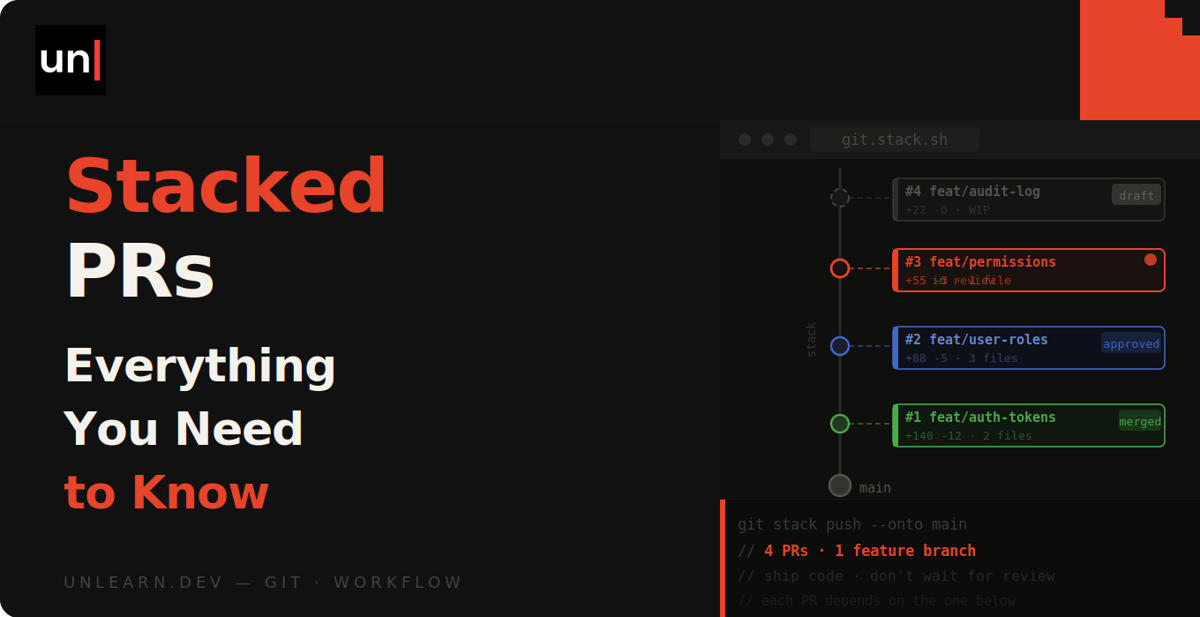
A stack is a series of pull requests where each one targets the branch below it, rather than all of them targeting main.
main
 └── subscriptions/migration          PR #1 → main
      └── subscriptions/models        PR #2 → subscriptions/migration
           └── subscriptions/stripe   PR #3 → subscriptions/models
                └── subscriptions/ui  PR #4 → subscriptions/stripe
Only the bottom PR targets main. Everything else targets the branch beneath it.
The good bit is what this does to the diffs. Because PR #3 is compared against subscriptions/models and not against main, its diff only shows the Stripe service. Your reviewer sees 120 lines of one thing, instead of 900 lines of five things.
And you're not blocked. Once you've pushed the migration branch and opened its PR, you branch off it and carry on with the models while review happens.
Building a stack with plain Git
There's nothing magic going on here. A stack is just branches off branches, so you can build one right now with the Git you already have.
git checkout main
git checkout -b subscriptions/migration
# work, commit
git push -u origin subscriptions/migration

git checkout -b subscriptions/models
# work, commit
git push -u origin subscriptions/models
Then open the PRs, setting the base branch on each one:
gh pr create --base main --head subscriptions/migration
gh pr create --base subscriptions/migration --head subscriptions/models
So far so good. The pain starts the moment something changes at the bottom of the stack.
Say your reviewer asks for a column rename on the migration PR. You check out subscriptions/migration, amend the commit, and force push. Now subscriptions/models is built on a commit that doesn't exist any more, and so is every branch above it.
You'd have to rebase each branch onto its new parent, one at a time, from the bottom up. With four branches that's four rebases, four conflict resolutions if you're unlucky, and four force pushes. This is what people mean by restacking, and it's the single biggest reason stacks have a reputation for being a faff.
Git does help a bit here. Since 2.38 there's an --update-refs flag on rebase that moves any branch pointers it finds along the way:
git rebase --update-refs main
You can turn it on permanently so you don't have to remember it:
git config --global --add --bool rebase.updateRefs true
Behind the scenes, Git records where each of your branch heads sits in the range of commits it's about to replay. As it rewrites those commits, it points the branches at their new equivalents instead of leaving them stranded on the old ones.
It's a genuine improvement, and it's free. But it only fixes your local branch pointers. You still have to force push each branch yourself, and GitHub still won't show you the stack as one thing.
Tools that handle the restacking for you
This is the bit tools have existed to solve for years. They all do roughly the same job: track the parent of each branch, restack everything automatically when something below changes, and push the lot in one go.
Graphite
Graphite is the most popular of these, and it's where most teams end up. It wraps Git in a gt CLI that knows about your stack.
gt create -m "Add subscriptions migration"
gt create -m "Add subscription models"
gt submit
gt create branches off the current branch and commits your staged changes, so the parent relationship gets recorded as you go. gt submit then force pushes every branch in the stack and opens or updates a pull request for each one, with the right base branch already set.
The command that earns it is gt modify. When you go back and change the migration branch, it amends the commit and restacks every descendant for you, so you're not rebasing four branches by hand.
gt modify -m "Rename the column"
gt submit
There's also gt sync, which pulls trunk, works out which of your PRs have merged, offers to delete those branches and restacks whatever's left. That's the one you'll run most.
On top of the CLI there's a web UI that shows the stack, an AI review pass, and a stack aware merge queue.
Sapling
Sapling is Meta's version control client, open sourced a few years back, and it treats stacking as the normal way to work rather than a feature bolted on afterwards.
The difference is that Sapling isn't a wrapper. You clone with sl and use sl commands in place of your git ones, and it feels a lot closer to Mercurial than to Git. It's excellent, but it's a much bigger change to how you work day to day.
ghstack, spr and friends
There's a family of smaller open source tools that work at the commit level instead of the branch level. Each commit on your branch becomes its own pull request, and rewriting history rewrites the stack.
ghstack (also from Meta) and spr are the two you'll come across most. They're light, they're free, and there's no third party service sitting in the middle. Saying that, they expect you to be comfortable with interactive rebase and rewriting history, so they're less forgiving than Graphite if this is all new to you.
GitHub's native Stacked PRs
Here's the interesting part. GitHub shipped stacked pull requests natively in April 2026, and as of 30 July 2026 they're in public preview. There's no waitlist and no approval step any more, and you don't need an enterprise plan. It's rolling out to all repositories, so if it hasn't landed on yours yet, give it a few days.
A stack in GitHub is the same thing we've been describing: a series of PRs in one repository where each targets the branch of the one below, ending at your default branch. What GitHub adds is the platform side, which is the part no third party tool could ever do properly.
A stack map appears in the pull request UI so reviewers can jump between layers. CI runs as though every PR targets main rather than its immediate parent, and branch protection rules are enforced against the final target branch instead of the intermediate ones. Those two together remove a load of the awkwardness of running checks on a stack.
Merging is where it really shows. You hit merge on the highest PR you want to land, and that PR plus every unmerged PR below it merge together from the bottom up. Merge a lower one instead and only that part lands, with the PRs above staying open and automatically rebasing so the lowest unmerged PR points at the updated base.
Squash merges, rebase merges and merge commits are all supported, so you don't have to change how your team merges to use this. Merge queues work too, with the stack entering the queue together and each PR evaluated from the bottom up. If one fails, it and everything above it gets ejected, and the PRs below it carry on unaffected. To keep a stack in one piece the queue will let a merge group run up to 50% over its configured size, and split the stack across consecutive groups if it still doesn't fit. Merge queue support is rolling out over the weeks following the public preview, so it may arrive on your repository a little after the rest.
The gh-stack CLI
There's an optional CLI extension for the local side of it:
gh extension install github/gh-stack

gh stack init      # create and check out the first branch
gh stack add       # add a new layer on top
gh stack push      # push every branch in the stack
gh stack submit    # open the pull requests
And for the restacking problem we spent half this article on, there's gh stack rebase, which pulls trunk and cascades the rebase up through the stack, plus gh stack sync if you want the fetch, rebase and push in one go. That's the Graphite equivalent, and it's the reason to bother with the extension at all.
It really is optional, though. You can build and manage stacks entirely through the GitHub UI, the API, GitHub Mobile, or plain Git branches, which is a nice change from tools that need you to adopt their CLI before you get anything at all.
There's also an agent skill, installed with gh skill install github/gh-stack, so coding agents can build and update stacks rather than dumping an entire feature into one enormous PR. If you're letting an agent loose on a whole feature, that's probably the most useful part of the announcement.
So does this kill Graphite? Probably not yet. Graphite still has the AI reviews and years of CLI polish, and GitHub's version is a public preview that's explicitly still changing. But now that the waitlist is gone and it's landing on every repository, having stacking built into the place your PRs already live is hard to argue with.
Where stacks get awkward
I don't want to oversell this, because stacks do have real downsides.
Changes at the bottom ripple upwards
If your reviewer asks for something on PR #1, everything above it gets rebased and force pushed. Tooling makes that one command instead of four, but reviewers on the higher PRs will see their diffs shift under them, and in progress review comments can end up stuck on outdated lines.
They only work if people review promptly
The whole idea is that you're building PR #3 while PR #1 is in review. If PR #1 sits for three days anyway, you've got three unreviewed PRs instead of one, and you've taken on the restacking for nothing. Stacks are a team habit as much as a tool.
Keep them short
Most people who use stacks daily settle on around three to five PRs. Past that, the effort of tracking what's where starts to cost more than the smaller diffs save you. A fair bit of the criticism of GitHub's preview landed exactly here, with people reckoning three or four is the practical ceiling.
The preview still has some edges
A few things aren't there yet on GitHub's version. Auto-merge doesn't work on stacked PRs, so you can't set one to land on its own once its checks pass. Every branch in a stack has to live in the same repository too, because cross-fork stacks aren't supported, which rules this out for the usual open source contribution flow. And there's no support in GitHub Desktop, so it's the web UI, the CLI or the API.
A stack also needs a fully linear history between branches, and it loses that the moment you push to a lower branch or trunk moves on. That's what gh stack rebase is for, but it does mean you can't merge until you've sorted it out.
Worth knowing as well: closing a PR in the middle of a stack blocks everything above it from merging. Every PR is judged against the rules for the base of the stack rather than its immediate parent, so a PR high up can't land until every requirement below it is satisfied too.
Should you use them?
If you're working on something that's genuinely a few hundred lines across a few distinct pieces, yes. You'll get reviewed and merged faster, and you're not sat waiting on the first piece before you can start the second.
For a quick fix, or a change that's all one thing, don't bother. A stack of one is just a pull request with extra steps.
If you want to try it without committing to anything, turn on rebase.updateRefs and build a stack by hand on your next proper feature. You'll get a feel for whether it suits you before you go looking for a tool to smooth it out.
Resources
- Stacked pull requests are now in public preview (GitHub Changelog)
- Stacked pull requests docs and the reference
- gh stack CLI commands and the gh-stack repo
- Troubleshooting stacked pull requests
- Graphite command reference
- GitHub adds Stacked PRs to speed complex code reviews (InfoWorld)
- Rebase stacked branches with --update-refs (Adam Johnson)