From Prompts to Specs with OpenSpec
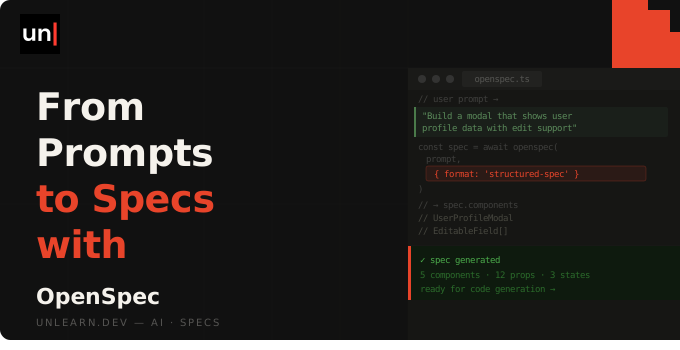
Working with an AI coding assistant is great, right up until a feature gets big enough that what comes back isn't quite what you asked for. OpenSpec adds a small spec layer so you and your assistant agree on what to build before any code gets written. Let's take a look.
Why bother
The idea behind spec-driven development is simple. Instead of describing a feature in a chat message and hoping for the best, you write down what you actually want first, agree on it, and only then start building. The spec becomes the thing you both work from.
OpenSpec keeps each change in its own folder on disk, with the proposal, the requirements and the task list all sat there as plain Markdown files you can read before a single line of code is touched. If something looks off, you catch it at the planning stage rather than three messages deep into a feature that's half built.
And it's not rigid. You're not forced through a fixed set of steps in a fixed order. You propose, apply and archive when it makes sense, and there's a separate explore step for when you're still figuring things out.
Getting set up
OpenSpec is a CLI you install globally with npm:
npm install -g @fission-ai/openspec@latest
Then cd into your project and initialise it:
cd your-project
openspec init
This sets up an openspec directory for your specs and drops a set of skills into your assistant (under .claude/skills for Claude Code). It works with a load of tools, so Cursor, Claude Code and plenty of others are all covered. From here, the workflow runs through slash commands inside your assistant.
The propose, apply, archive workflow
This is the core loop, and for most changes it's all you'll need.
Propose
Start a change with /opsx:propose followed by what you want to build:
/opsx:propose add two-factor authentication to login
This creates a new folder for the change under openspec/changes and fills it with the files you'll review. You'll get a proposal.md explaining the intent and approach, a set of specs written as Given/When/Then scenarios, a design.md with the technical detail, and a tasks.md with a checklist of the work to do.
Nothing's been built yet. This is the bit where you read through, make sure the assistant understood what you meant, and tweak anything that's wrong before it starts writing code.
Apply
Happy with the plan? Run /opsx:apply:
/opsx:apply
This works through tasks.md and actually implements the change, ticking off each task as it goes and updating the artifacts if something shifts along the way. Because the plan already exists, the assistant has a clear list to work from rather than guessing at the whole feature in one go.
Archive
Once the change is done and you're satisfied, archive it with /opsx:archive:
/opsx:archive
This moves the completed change out of your active changes and folds its spec changes into your main specs. That last part matters. It's what keeps your specs matching what the app actually does, so the next time you propose a change, the assistant is reading from an accurate picture of your project rather than a stale one.
Bonus: the explore command
Sometimes you don't know what you want yet, and jumping straight to a proposal forces a decision you're not ready to make. That's what /opsx:explore is for:
/opsx:explore should notifications be email, in-app, or both?
Think of it as a thinking partner. There's no change folder, no tasks, no structure. You're just working through an idea, investigating a problem, or clarifying requirements until you've got something solid. Once it clicks, you roll into /opsx:propose and carry on with the normal flow.
It's an easy step to skip, but it's handy for the fuzzy, early stage where you'd otherwise be talking yourself in circles.
When not to use it
Spec-driven development isn't free. There's a bit of overhead in writing a proposal and reviewing it, and for some work that overhead just isn't worth it. I can't give you a hard and fast list, but here's where I'd skip it.
Tiny fixes and typos
For a quick fix, a copy change or a typo, writing a proposal takes longer than the fix itself. Just make the change.
Throwaway spikes
If you're hacking something together to test an idea and you fully intend to bin it afterwards, don't bother speccing it out. The whole point of a spike is to move fast and learn something, not to document it.
Early exploratory prototyping
When you're still poking at a problem and don't yet know what you're building, a formal proposal gets in the way. This is exactly where /opsx:explore fits better, or honestly, just chatting things through until a shape emerges.
The rule of thumb: the bigger and more real the change, the more spec-driven development pays off. For the small stuff, trust your judgement.
Wrapping up
So that's spec-driven development with OpenSpec. You agree on the plan before you build, each change is something you can actually read and review, and your specs stay true to what the app does. Propose, apply and archive for the real work, explore when you're still figuring it out, and skip it entirely for the small stuff.
Give it a go on your next proper feature and see how it feels. Happy speccing!