The Most Powerful Model Is the Wrong Default
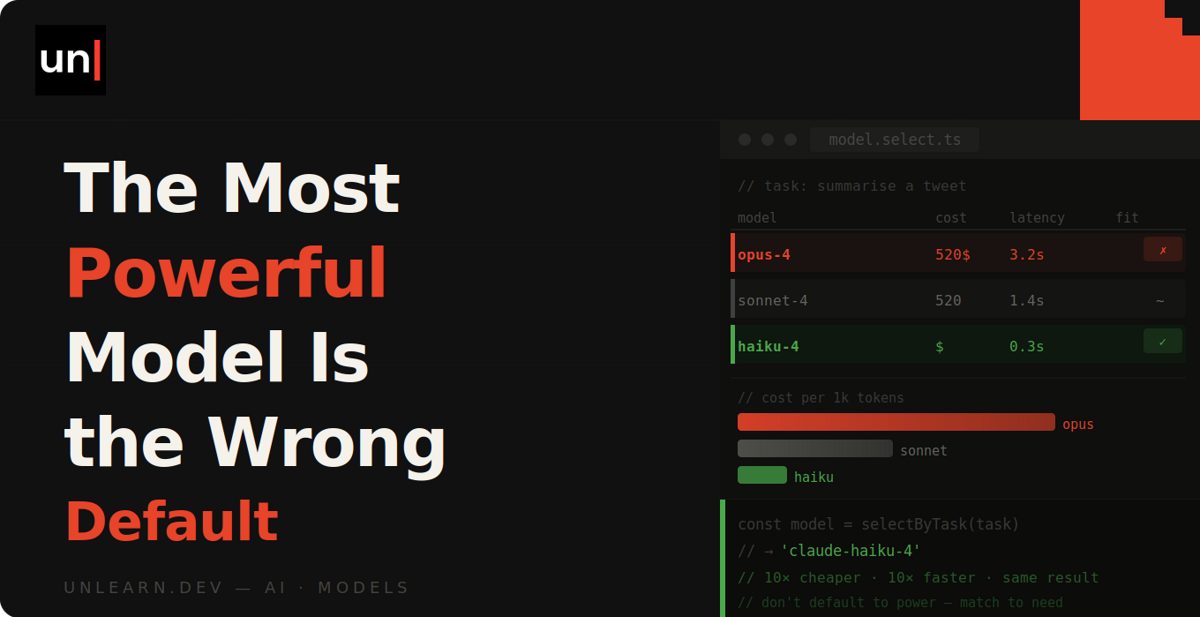
For the past couple of years, the standard advice for working with AI coding tools has been to use the most powerful model you can afford, for everything. It was good advice at the time, but I don't think it holds up any more. Let's take a look at why, and how to decide which tasks actually need a frontier model.
Why we all defaulted to the biggest model
When these tools first became genuinely useful, there was a huge difference between the best model and everything else. If you tried to save money with a cheaper model, you'd end up with code that didn't compile, methods that didn't exist, and a lot of time wasted arguing with it.
So the decision was easy. Tokens cost pennies compared to your time, and a powerful model that got things right the first time was always worth it over a cheap one you'd be correcting for an hour. Defaulting to the best model was the sensible thing to do.
What's changed
Two things have changed, and they've happened at the same time.
First, cheaper models have become genuinely good at routine work. If you ask a smaller model to write tests against existing code, or fix a bug you've already diagnosed, you'll often struggle to tell the output apart from a frontier model's. Open-weight models have caught up too, at a fraction of the cost.
Second, we're all using these tools a lot more. It's no longer a case of pasting a function into a chat window every now and then. You might have agents running for hours at a time, or a whole team with assistants wired into their editors making thousands of calls a day.
When every one of those calls goes to the most expensive model by default, the cost starts to add up quickly. And since the difference between models only really shows on the genuinely hard problems, you're paying a premium on a load of tasks that don't need it.
Match the model to the task
Instead, I'd recommend choosing a model based on the difficulty of the task, and saving the expensive model for work that actually needs it. Here's roughly how I think about it.
Small models for mechanical work
I'm talking about renames, boilerplate, commit messages, converting a config file from one format to another, or generating test fixtures. For tasks like these, there's pretty much one right answer, and you're able to verify it at a glance. A small model handles this perfectly well, and it's faster and cheaper too.
Mid-tier models for everyday work
This covers most of what you'll do day to day. Straightforward features, bug fixes where you already understand the cause, writing tests for code that already exists, and refactors contained within a file or two.
A mid-tier model handles all of this well. And if it does get something wrong, chances are you'll spot it in review because the change is small enough to properly read.
Frontier models for the genuinely hard stuff
This is for architecture decisions, debugging where you don't know the cause yet, refactors that cut across your codebase, and anything security related. Basically, anything where a subtle mistake would be expensive to discover later.
This is where the best models still pull ahead, and where paying for one is clearly worth it.
I can't provide a hard and fast list here, because it depends on your codebase and how much you trust your review process. But asking yourself "how expensive would a subtle mistake be here?" before you pick is a good habit to get into.
The catch: cheap models fail silently
Now, here's the problem with downgrading. You'd hope that a weaker model fails loudly, giving you code that obviously doesn't work. Unfortunately, that's not what happens. Instead, you'll get plausible code that compiles, passes the happy path, and misses an edge case somewhere.
This means you can move a task over to a cheaper model, glance at the output, and assume everything is fine... while the quality slips in ways you won't notice until later. So it's worth keeping an eye out for a few signals.
You're re-prompting more
If you find yourself correcting the model two or three times on a task, the cheaper model isn't saving you anything. My rule of thumb is to correct it twice, and if it's still not right, switch up to a better model rather than writing a third prompt.
Review is catching more
If your pull requests start attracting more comments than usual, especially around edge cases and small logic errors, that's a sign the downgrade is showing up further down the line. You've saved money on tokens and spent it on review time instead.
The tests pass, but something's off
This is the sneakiest one. A weaker model is more likely to write tests that assert what the code does, rather than what it should do. Everything looks green, but the behaviour is still wrong. Make sure you're checking the tests themselves, not just the code they cover.
Flip the default
The practical change here is a small one. Make a cheaper model your default, and deliberately switch up when a task needs it, rather than defaulting to the frontier model and never questioning it.
Most tools let you set a default model and change it per task (in Claude Code, that's the /model command). If you switch up too late, it costs you a retry. If you never downgrade at all, you're paying a premium on everything you do.
Saying that, if you're a solo developer with fairly light usage, don't overthink this. A powerful default costs you very little, and all of this matters far more once agents and whole teams are involved.
Summary
"Always use the best model" was the right advice for a long time, and that's exactly why it's stuck around as a habit. But the models have changed, the way we use them has changed, and the default deserves a rethink.
Route the mechanical and everyday work to cheaper models, save the frontier model for problems where the extra capability actually shows, and keep an eye out for the signals that tell you a downgrade has gone too far. Knowing which task is which is a skill in itself, and like anything, you'll get a feel for it the more you practise.